
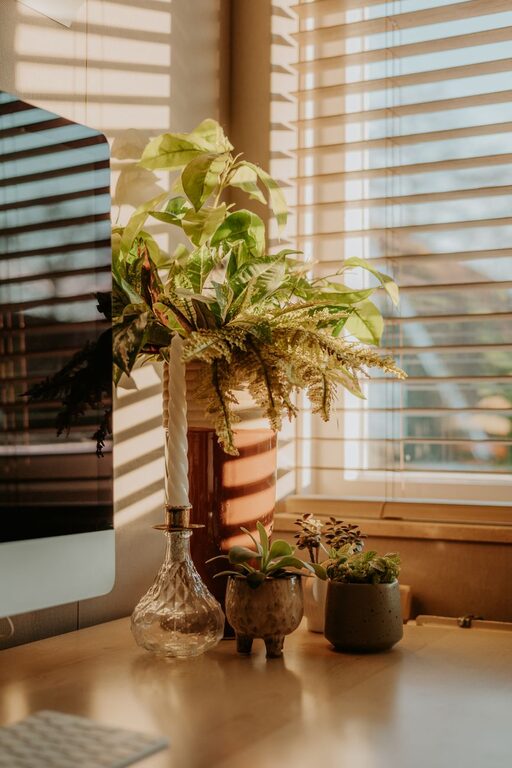
Creating a home office space that is both cozy and productive can make a significant difference in your daily work routine. Whether you work from home full-time or occasionally need a quiet spot for focused tasks, designing a workspace that feels inviting while helping you stay efficient is essential.
In this guide, we’ll walk through practical tips to help you set up a home office that balances comfort and functionality.
Choose the Right Location
Finding the best spot for your home office is the first step. Ideally, select a quiet area with minimal foot traffic and distractions. If possible, pick a room or corner with natural light—it can improve mood and reduce eye strain.
Consider:
– Away from the busiest areas of your home
– Near a window for fresh air and daylight
– Space enough to accommodate your desk, chair, and storage without crowding
Invest in Comfortable and Ergonomic Furniture
Your office furniture plays a crucial role in creating a comfortable workspace. Choose a chair that supports your back and encourages good posture. An adjustable desk helps you find the perfect height, making long working hours less tiring.
Tips:
– Use an ergonomic office chair with lumbar support
– Adjust your desk height so your elbows rest comfortably at a 90-degree angle
– Consider a sit-stand desk to alternate between sitting and standing
Optimize Lighting
Proper lighting reduces eye strain and keeps you energized. While natural light is best, supplement it with good-quality artificial lighting for cloudy days or late-night work sessions.
Lighting ideas:
– Position your desk near a window to maximize daylight
– Use a desk lamp with adjustable brightness and direction
– Choose LED bulbs with a color temperature around 4000K for a natural daylight effect
Keep Your Space Organized
Clutter can distract and hinder productivity. Keep your home office tidy by using storage solutions that fit your needs and style.
Strategies:
– Use shelves, filing cabinets, or storage bins to keep documents and supplies organized
– Employ cable management tools to reduce cord clutter
– Limit desktop items to essentials for a clean, clear workspace
Personalize Your Workspace
Adding personal touches helps make your home office feel welcoming and uniquely yours. Include items that inspire you without creating distractions.
Ideas:
– Hang artwork or photos that motivate or relax you
– Add plants to bring in a bit of nature and improve air quality
– Use decorative storage boxes or desk accessories in colors you enjoy
Minimize Noise and Distractions
Creating a quiet environment can improve concentration. If noise is a challenge, consider noise-cancelling headphones or soft background music that helps you focus.
Additional tips:
– Close doors or use room dividers to block noise
– Set “do not disturb” times on devices to minimize interruptions
– Use white noise machines or apps if complete silence feels uncomfortable
Establish Clear Boundaries
Especially for those sharing their space, defining when and where work happens helps maintain work-life balance.
Suggestions:
– Dress as you would for the office to shift into work mode
– Communicate your working hours to family or housemates
– Physically separate your office area from relaxation spaces if possible
Use Technology to Stay Organized and Connected
Take advantage of digital tools to streamline your workflow and stay in touch with colleagues.
Useful tools:
– Task management apps to keep track of deadlines and to-dos
– Video conferencing software for meetings and collaboration
– Cloud storage for easy access to files from anywhere
—
By thoughtfully designing your home office, you can create a space that feels cozy, supports your productivity, and makes working from home an enjoyable experience. Start with these tips and tailor your environment as you discover what works best for you!